Installation
AdonisJS Plus packages are published to a private npm registry. You need an access token to install them. This guide covers:
- Creating an access token from the Plus dashboard
- Configuring your project's
.npmrcfile - Storing the token on your development machine
- Authenticating in CI pipelines
- Authenticating in production deployments
Creating an access token
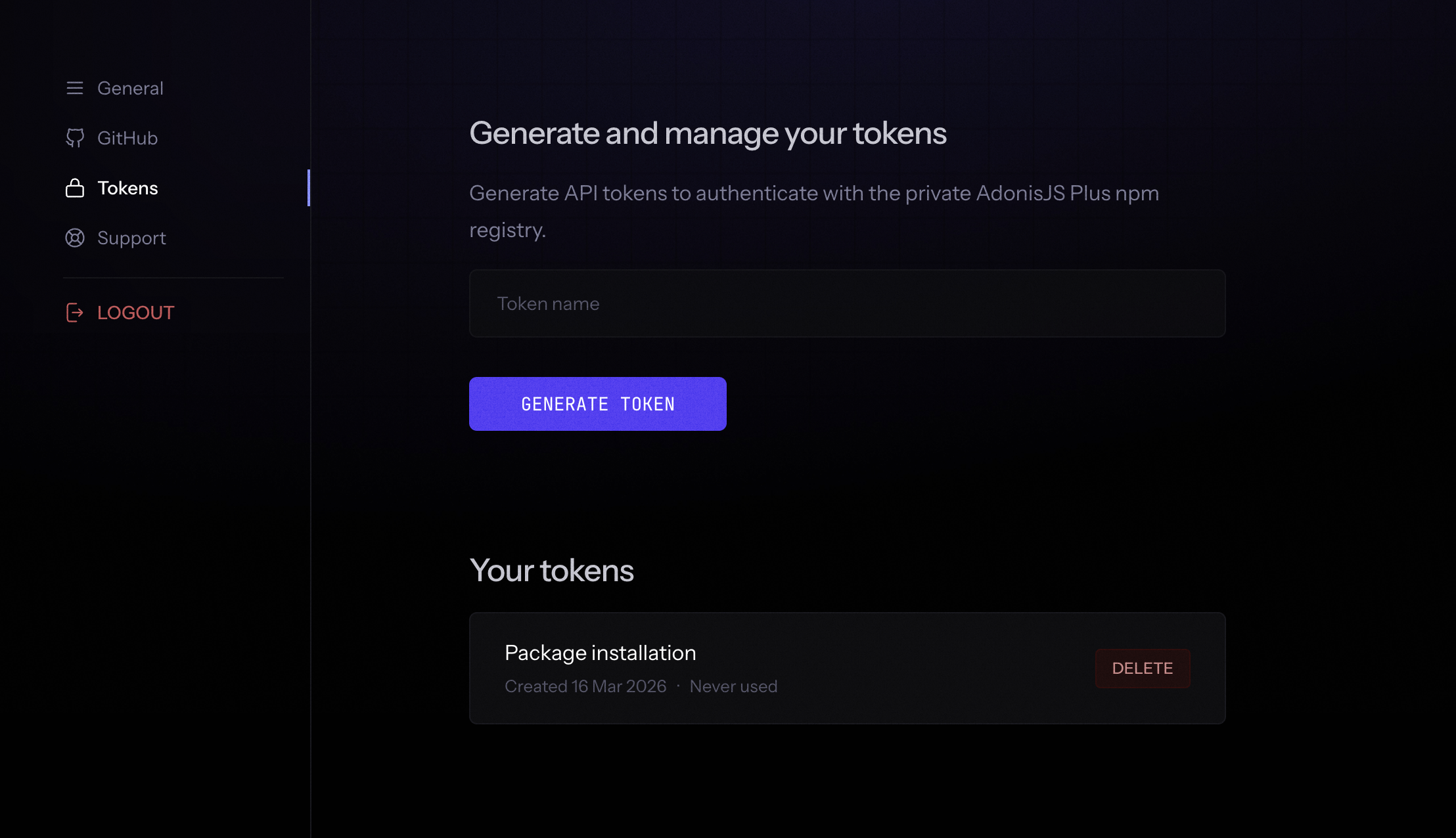
Log in to the AdonisJS Plus dashboard and navigate to the Tokens section. Click Create token, give it a name that identifies its purpose (for example, "Local dev" or "GitHub Actions"), and copy the generated value.
The token is shown only once. Copy it immediately after creation. If you lose it, revoke the old token and create a new one.
Configuring your project
Create an .npmrc file in the root of your project and commit it to version control. This file tells npm to route all @adonisplus/* package requests to the Plus registry instead of the public npm registry.
@adonisplus:registry=https://plus.adonisjs.com/registry/This file contains no credentials. Authentication is handled separately per environment, which means the same committed file works for local development, CI, and deployment without modification.
Local development
Store the token in your global npm configuration using the npm config set command. This writes directly to ~/.npmrc on your machine, keeping the token out of your project and available across all your AdonisJS Plus projects. You only need to do this once per machine.
npm config set "//plus.adonisjs.com/registry/:_authToken" your_token_hereWhen you run npm install, npm reads both your project's .npmrc (which routes @adonisplus/* to the Plus registry) and your global ~/.npmrc (which provides the token for that registry). Because the two files configure different things, they do not conflict.
Now install the packages you need.
npm install @adonisplus/persona
npm install @adonisplus/permissions
CI setup
CI environments do not have access to your local ~/.npmrc. Instead, append the auth token line to the project's .npmrc at the start of your pipeline using the NPM_TOKEN secret. The shell expands the variable before writing, so the actual token value is written into the file for the duration of that run.
GitHub Actions
Add your token as a repository secret named NPM_TOKEN in Settings > Secrets and variables > Actions. Then write the token into .npmrc before installing dependencies.
steps:
  - uses: actions/checkout@v4

  - uses: actions/setup-node@v4
    with:
      node-version: 22

  - name: Authenticate with Plus registry
    run: echo "//plus.adonisjs.com/registry/:_authToken=${NPM_TOKEN}" >> .npmrc
    env:
      NPM_TOKEN: ${{ secrets.NPM_TOKEN }}

  - name: Install dependencies
    run: npm ci
Other CI providers
The approach is the same regardless of the provider. Add NPM_TOKEN as a secret in your CI dashboard and run the echo command before npm install or npm ci. The secret name must match exactly (NPM_TOKEN, not npm_token or NPM_AUTH_TOKEN).
Deployment
How you provide the token during deployment depends on whether the platform builds your application using Docker or its own managed build system.
Platforms without Docker
For platforms like Railway or Render that run npm install as part of their managed build process, add NPM_TOKEN as an environment variable in the platform's dashboard and add the auth line to .npmrc using a pre-install script or build command.
echo "//plus.adonisjs.com/registry/:_authToken=${NPM_TOKEN}" >> .npmrc && npm ci && rm -f .npmrcThe rm -f .npmrc at the end removes the token-containing file after install completes. Without it, some platforms cache the build workspace between runs, which means the token could persist into the next build even after rotation.
Docker builds
Docker containers do not inherit environment variables from the host during the build. You must explicitly pass the token into the build using Docker BuildKit secrets. The secret mount itself never touches an image layer, but the echo that writes the token into .npmrc does. Removing .npmrc in the same RUN instruction ensures the token-containing file is never committed to any layer.
# syntax=docker/dockerfile:1
FROM node:24-alpine AS build
WORKDIR /app
COPY package*.json .npmrc ./

RUN --mount=type=secret,id=NPM_TOKEN \
    echo "//plus.adonisjs.com/registry/:_authToken=$(cat /run/secrets/NPM_TOKEN)" >> .npmrc \
    && npm ci \
    && rm -f .npmrc

COPY . .
RUN node ace build

FROM node:24-alpine
WORKDIR /app
# Copy the entire build stage workspace, node_modules included.
# This avoids running npm install again in the final stage without auth.
COPY --from=build /app /app
CMD ["node", "bin/server.js"]
Pass the token when building the image locally.
docker build --secret id=NPM_TOKEN,env=NPM_TOKEN -t your-app .Avoid ARG and --build-arg for tokens. Build arguments are saved in the image history and can be read with docker history. BuildKit secrets are never written to image layers. The rm -f .npmrc in the same RUN instruction ensures the echo'd token value does not survive into the layer either.
Fly.io
Fly.io does not pass secrets set with fly secrets set into the Docker build. Use the --build-secret flag when deploying to make the token available as a BuildKit secret during the build, matching the --mount=type=secret,id=NPM_TOKEN instruction in your Dockerfile.
flyctl deploy --build-secret "NPM_TOKEN=$NPM_TOKEN"Troubleshooting
401 Unauthorized during install
The token is missing, expired, or revoked. Verify that the token is present in your global npm config.
npm config get '//plus.adonisjs.com/registry/:_authToken'If the output is empty, run the npm config set command again with a valid token. If the token is present but installs still fail, create a new token from the Plus dashboard and update your config.
404 Not Found for a package
The scoped registry line is missing from your project's .npmrc. Without it, npm looks for @adonisplus/* packages on the public registry where they do not exist.
@adonisplus:registry=https://plus.adonisjs.com/registry/Token works locally but fails in CI
Local authentication comes from ~/.npmrc on your machine. CI environments do not have that file. Make sure your pipeline runs the echo command to append the token to .npmrc before calling npm ci, and that the NPM_TOKEN secret is defined in your CI dashboard.
Token works in CI but fails in Docker
Docker builds do not have access to the host environment or CI secrets unless explicitly passed in. Make sure you are using --secret (local builds) or --build-secret (Fly.io), and that your Dockerfile uses --mount=type=secret,id=NPM_TOKEN on the RUN instruction that appends the token.