GitHub pull requests
On this page
This guide shows what a Flow code review does on a pull request on GitHub. You will learn:
- What the review posts, and how the "Flow review" check reads
- Each state of the check, and what to do about it
- The comments that start a review again
Overview
Section titled "Overview"Each pull request gets a review when it opens, and each push gets a review of its new commits. The review posts one comment for each finding, on the changed line. A comment gives the severity, the lenses, the finding, its impact and the fix. Some comments also have a suggested change that you can commit from GitHub.
When a later push fixes a finding, the review replies "Addressed in" with the commit, and resolves the comment.
The Flow review check
Section titled "The Flow review check"Each review has a check named "Flow review" in the checks of the pull request. Its title counts the open findings by severity. Its summary says if a critical or major finding is open, names the agent and the model, lists the tasks of the review, and links to the logs of the run.
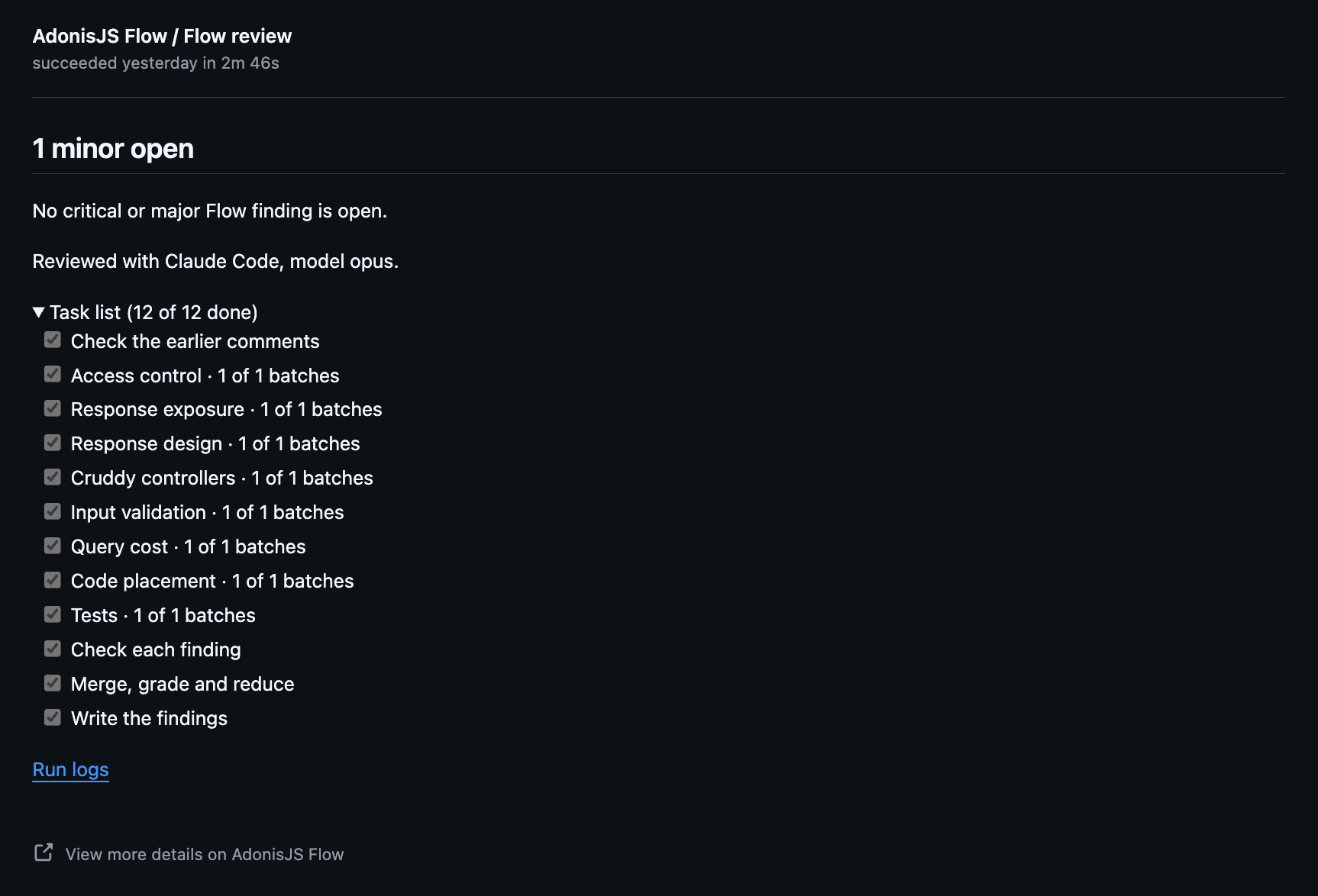
The check fails while a critical or major finding is open. To block the merge of such a pull request, make "Flow review" a required check in the branch protection or the ruleset of your default branch.
The states of the check
Section titled "The states of the check"Each state is the title of the check, with its result on GitHub.
Reviewingin progressno open findingssuccess2 minor opensuccess1 critical, 1 major openfailureWaitingqueuedSupersededskippedNot reviewedskippedThe review did not finishneutral@adonisjs-flow full review.The review did not startfailureThe Flow review workflow is missingneutral.github/workflows/flow-review.yml. Merge the setup pull request. See GitHub setup.This account has no Flow licenceneutralFlow couldn't confirm the licence. Re-run the review.neutralComments that start a review
Section titled "Comments that start a review"Comment on the pull request, with the command as the first line of the comment. Only people with write access to the repository can ask. Flow reacts with 👍 when it takes the request. When it refuses one, it reacts with 👎 and replies with the reason.
Review every change again
Section titled "Review every change again"After the first review, each push gets a review of its new commits only. To review the whole pull request again, for example after a rebase, after you change the settings or the lenses, or after a review that did not finish, comment:
@adonisjs-flow full reviewSee every finding
Section titled "See every finding"A review reports at most maxFindings findings, the most severe first. To review every change again and report each finding, comment:
@adonisjs-flow full review allReview a new push
Section titled "Review a new push"You need no comment. Each push gets its review on its own.
Accept a finding
Section titled "Accept a finding"You need no comment either. Add the finding to accepted in .flow/review.yml, or write a flow-allow comment above the code. See Accepting a finding.